AP Invoice Automation Accounts Payable Invoice Automation

Accounts Payable Invoice Automation Software

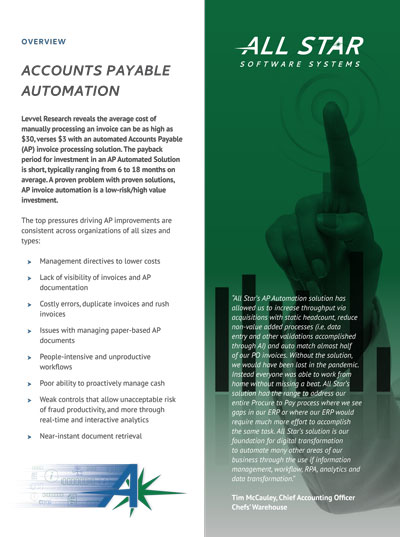
Accounts Payable departments are under constant pressure to process invoices quickly, maintain accuracy, and provide visibility into financial obligations—all while managing growing invoice volumes and limited resources. Yet many organizations still rely on manual data entry, email-based approvals, and disconnected systems that slow processing and increase risk. AI-driven AP invoice automation transforms this process by automatically capturing invoices, extracting and validating data, and routing them through intelligent workflows. The result is faster processing, improved accuracy, and complete visibility into your payables operations, allowing finance teams to operate more efficiently and focus on higher-value work.

0%

of AP leaders say that automating manual processes is their greatest concern.

arrow-2
arrow

0%

of AP leaders are concerned about improving processes.

Institute of Finance and Management (IOFM)  |  Benchmarking Reports

Eliminate Manual Invoice Processing

Manual invoice processing creates operational inefficiencies and unnecessary risk. AP teams often spend significant time entering invoice data, resolving discrepancies, tracking approvals, and responding to vendor inquiries.

Common challenges include:

  • Manual data entry and invoice handling
  • Slow approval cycles and processing delays
  • Limited visibility into invoice status
  • Data entry errors and exception handling
  • Difficulty scaling as invoice volume grows
  • Dependence on paper, email, and disconnected workflows

These challenges increase processing costs, delay payments, and prevent AP teams from focusing on higher-value financial activities.

AP-Invoice
Ai Invoice automation

AI-Powered Intelligence That Transforms Invoice Processing

StarLine

Understand and Extract Invoice Data Automatically with AI

AI-powered document intelligence enables the system to understand invoices without relying on rigid templates or manual configuration. Using natural language processing and advanced AI models, the system can identify invoice types, extract key information, and interpret invoice content accurately. AI can also infer relevant information based on context, improving extraction accuracy and reducing manual intervention. This allows organizations to automate invoice processing more effectively, even as invoice formats vary across vendors.

Automate Invoice Coding and Improve Financial Accuracy

AI enhances invoice processing by automatically recommending general ledger coding, cost center assignments, and approval routing based on historical patterns and business rules. By analyzing previously processed invoices and organizational data, AI helps ensure invoices are coded accurately and consistently. This reduces the need for manual coding, accelerates processing, and improves financial accuracy. Finance teams can review and approve AI-assisted recommendations, allowing them to maintain control while reducing administrative workload.

Resolve Exceptions Faster with AI-Driven Knowledge and Insights

When questions or exceptions arise, AI can provide immediate access to relevant information from historical invoices, vendor records, and supporting documentation. Users can retrieve answers directly within the workflow without searching across multiple systems or contacting other departments. This accelerates exception resolution, improves productivity, and ensures invoices move through the process efficiently. AI-driven knowledge discovery allows AP teams to make faster, more informed decisions while maintaining accuracy and compliance.

Increase Automation and Efficiency Over Time with AI

AI-powered automation continuously improves as it processes more invoices and transactions. The system learns from historical data, user actions, and business rules to increase automation rates and reduce exceptions. Over time, this allows organizations to achieve higher levels of straight-through processing, improve accuracy, and further reduce manual effort. Continuous learning ensures the automation solution becomes more efficient and valuable as invoice volume and business complexity grow.

Capture invoices from any source

Invoices are automatically captured from email, scanned paper, vendor portals, shared folders, and eInvoicing networks.

Extract and validate data using AI

AI-powered intelligent document processing identifies invoice types and extracts key information such as vendor name, invoice number, dates, totals, and line-item details. Data is validated against your ERP and business rules to ensure accuracy.

Route invoices for approval automatically

Invoices are routed to the appropriate approvers based on configurable workflows, approval hierarchies, and business rules. Approvers can review and approve invoices quickly, even remotely.

Integrate directly with your ERP system

Validated invoices are automatically delivered to your ERP system, eliminating manual entry and ensuring accurate financial records.

Securely archive invoices for retrieval and audit

Invoices and supporting documentation are securely stored and indexed, providing instant access for audits, reporting, and vendor inquiries.

women1

Invoice Capture

StarLine

Invoice capture is the first step in automating Accounts Payable and ensures that invoices can be received, understood, and processed without manual handling. Intelligent invoice capture automatically collects invoices from all incoming channels, including email, scanned paper, vendor portals, shared folders, and eInvoicing networks. Using AI and intelligent document processing, the system identifies invoice documents, extracts key information such as vendor name, invoice number, dates, totals, and line details, and prepares the data for validation and workflow processing. This eliminates manual data entry, reduces errors, and ensures invoices enter your AP process quickly and accurately, regardless of how or where they are received.

Eliminate Data Entry

StarLine

Manual invoice entry is one of the most time-consuming and error-prone steps in the Accounts Payable process. AP teams often must open invoices from email or paper, manually key in vendor information, invoice numbers, dates, totals, and coding details into the ERP system. This repetitive work slows processing, increases the risk of data entry errors, and creates bottlenecks that delay approvals and payments. As invoice volumes grow, manual entry becomes increasingly difficult to manage, limiting the ability of AP teams to scale efficiently and maintain accurate, timely financial records.

AI-driven automation eliminates the need for manual invoice entry by automatically capturing invoice data and delivering it directly into your AP workflow and ERP system. Intelligent document processing uses AI to read invoices, extract key information, and validate the data against your vendor records and business rules. Instead of spending time entering data, AP teams can review exceptions, manage approvals, and focus on higher-value activities. This not only accelerates invoice processing and improves accuracy, but also allows organizations to scale their AP operations without increasing administrative workload.

smiling6
MiscPpl

Workflow Process Automation

StarLine

Workflow process automation streamlines how invoices move through your Accounts Payable process, ensuring they are reviewed, approved, and processed efficiently without manual tracking or follow-up. Once invoice data is captured and validated, automation routes invoices to the appropriate approvers based on predefined business rules such as vendor, department, dollar amount, or cost center. Approvers receive notifications and can review and approve invoices quickly, while the system automatically tracks status, escalates delays, and maintains a complete audit trail. This eliminates bottlenecks, improves accountability, and ensures invoices are processed consistently, allowing your organization to accelerate approvals, maintain compliance, and gain full visibility into the entire invoice lifecycle.

Invoice Storage and Retrieval

StarLine

Invoice storage and retrieval ensures that every invoice and its supporting documentation are securely archived and instantly accessible when needed. Once processed, invoices are automatically stored in a centralized repository and indexed using key information such as vendor name, invoice number, date, amount, and purchase order. This allows AP teams, finance leaders, and auditors to quickly locate and retrieve invoices without searching through email, shared drives, or paper files. Secure, organized storage improves audit readiness, strengthens compliance, and provides complete visibility into your financial records, while eliminating the risks and inefficiencies associated with manual filing and document retrieval.

invoice-capture
OCR

Analytics Process Intelligence

StarLine

Analytics and process intelligence provide deep operational visibility into your Accounts Payable workflows, enabling organizations to monitor automation rates, processing timelines, exception volumes, and approval performance in real time. Advanced dashboards and reporting tools allow finance leaders to identify bottlenecks, track invoice lifecycle stages, and measure the effectiveness of automation initiatives. With insight into processing trends and workload distribution, organizations can improve straight-through processing rates, optimize workflows, and reduce manual intervention. This level of intelligence supports stronger financial forecasting, improves operational efficiency, and enables continuous process improvement as invoice volumes and business needs evolve.

These insights also help identify opportunities to expand automation and further reduce manual effort, allowing organizations to continuously improve efficiency and maximize the value of their automation investment.

Collaboration

StarLine

Collaboration tools enable Accounts Payable teams, approvers, and other stakeholders to work together efficiently throughout the invoice lifecycle. When questions or exceptions arise, users can easily share invoices, add comments, and request clarification directly within the system, keeping all communication tied to the invoice record. Automated notifications ensure the right people are informed at the right time, reducing delays caused by email back-and-forth or missed approvals. This centralized collaboration improves transparency, accelerates issue resolution, and ensures everyone involved has immediate access to the information they need to keep invoice processing moving forward.

3-at-laptop
ERP-graphic-2

Mobile Access

StarLine

Mobile access allows approvers and AP teams to review, approve, and manage invoices from anywhere, ensuring the invoice process continues without delays. Users can securely access invoices, view supporting documentation, and take action directly from their mobile device or web browser. Real-time notifications alert approvers when invoices require attention, helping reduce approval cycle times and prevent bottlenecks. By enabling remote and on-the-go access, organizations can accelerate invoice processing, improve responsiveness, and ensure business continuity regardless of location.

Integration with ERP

StarLine

Integration with your ERP system ensures invoice data moves seamlessly from capture and approval into your financial system without manual entry or disruption. Once invoices are received, processed, and approved, the system automatically transfers key information—including vendor details, invoice numbers, dates, totals, and coding—directly into your ERP. This eliminates the need for manual data entry, reduces errors, and ensures financial records remain accurate and up to date.

Automation also validates invoice data against ERP master records, such as vendor files, purchase orders, and accounting structures, helping identify discrepancies before invoices are posted. This improves accuracy, strengthens financial controls, and reduces the risk of duplicate or incorrect payments.

In addition to transferring data, the system maintains a secure connection between the invoice record and the ERP transaction, allowing users to quickly access supporting documentation when needed. This improves audit readiness, simplifies research, and provides greater transparency across financial operations.

By integrating seamlessly with your existing ERP, AP invoice automation enhances your current financial systems without requiring changes to your core processes. Organizations benefit from faster processing, improved data integrity, and greater efficiency while maintaining their ERP as the system of record.

mobilizing-ERP
partners

Vendor Portal

StarLine

Integration with a vendor portal improves collaboration with suppliers and reduces the burden on your AP team. Vendors can securely submit invoices, check invoice status, and provide supporting documentation through a centralized portal, eliminating reliance on email and paper. This reduces vendor inquiries, improves communication, and ensures invoices enter your automation workflow quickly and accurately. By providing vendors with visibility and self-service capabilities, organizations can improve vendor relationships while reducing administrative workload and accelerating invoice processing.

All Star is here to help you

Be more informed and empowered

Accounts Payable Automation Overview

Don't miss out on the finer details. Download our comprehensive overview and dive deep into what our solution can do for you.

Blogs

iStock-1332832460-cropped

8 Accounts Payable Automation Best Practices and Benefits for 2023

In the era of hybrid work, businesses are turning to automation across their operations to eliminate time-consuming, cost-inefficient, manual processes. While every department in an organization can benefit from automation in one form or another, accounts payable (AP) experiences specific benefits. AP automation refers to introducing tools and/or processes that remove manual tasks such as […]

iStock-1295289697-copy

How Accounts Payable Automation Can Transform Your Business

There’s an old joke in accounts payable departments: The cost of processing a $12 invoice is more than the amount of the invoice itself. If your business is still manually processing invoices, this joke could very well have merit. Manual invoice processing costs can be as high as $20 per invoice, whereas introducing automation brings […]

ap automation

Where Should You Do Your AP Automation – Outsource or In House?

Businesses of all sizes and across all industries use accounts payable (AP) invoice automation to save time in each stage of their invoice processing. By eliminating paper-driven tasks, such as routing, tracking, retrieving, faxing, and more, businesses improve overall accuracy, efficiency, and visibility with AP automation. Finance departments can reduce labor costs and gain better […]

Contact Us Today!

_Footer Form (Currently In Use)

  • This field is for validation purposes and should be left unchanged.
  • Call us now at 888.791.9301 or fill out the form and we will call you back!